A power nap that can’t turn into a three‑hour sleep.
Your Apple Watch starts the timer when you actually fall asleep — and won’t stop the alarm until you’re on your feet.
Wake guard free foreverHealth data stays on your devices
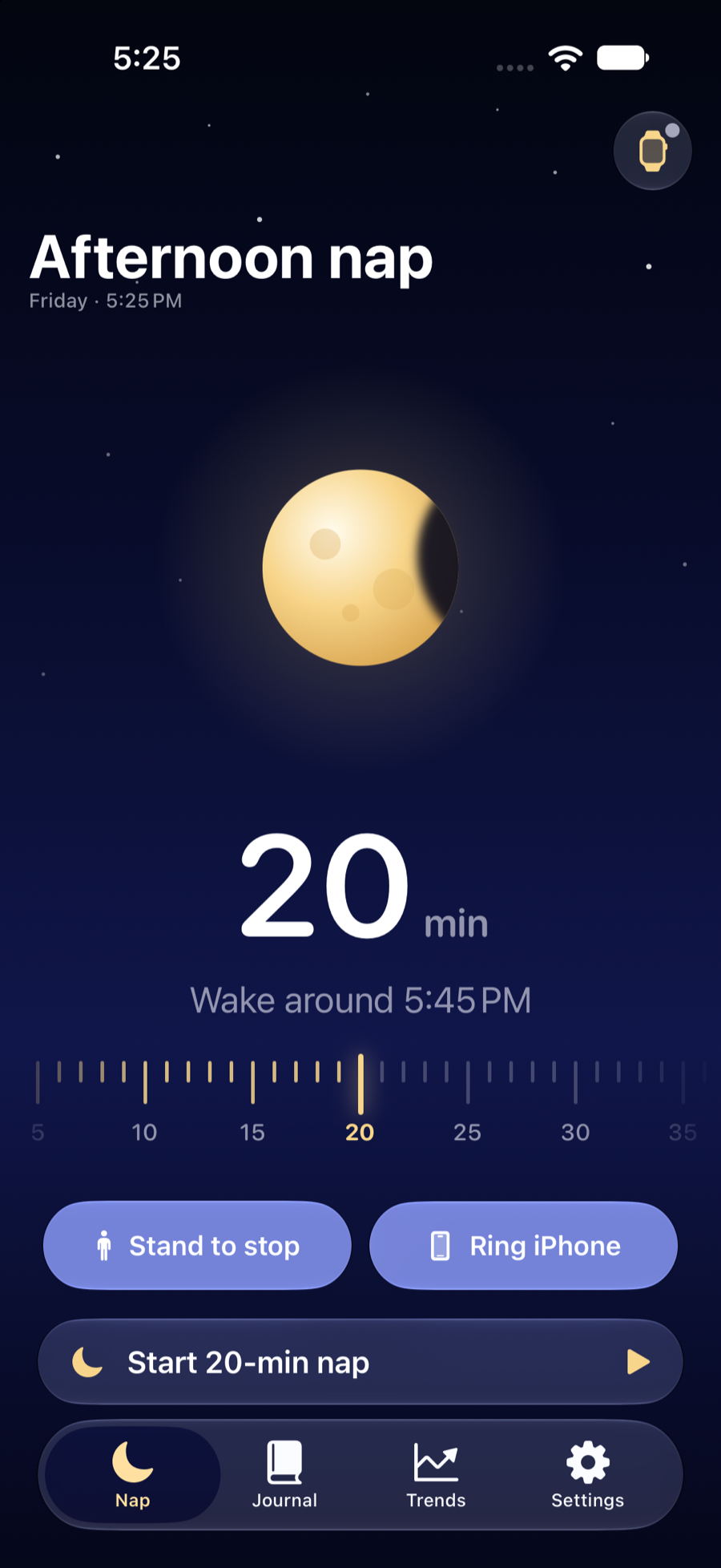
Most nap alarms start counting the moment you lie down. So twenty minutes can mean five minutes of sleep. Or none.
PowerNap waits.
How it works
The timer starts when you’re asleep.
Step 1
Lie down. The clock waits.
Start a nap from your iPhone or right on your wrist. For the first couple of minutes your Apple Watch learns your resting heart rate.
Step 2
Fall asleep. Now it counts.
When your heart rate settles below that baseline and your wrist goes still, the timer starts. Twenty minutes means twenty minutes asleep.
Step 3
Stand up to stop.
Haptics build on your wrist and only stop once you’re up and taking a few steps. No snoozing half-asleep and drifting off again.
Apple Watch
On your wrist.
PowerNap is made for Apple Watch. From the first breath to the last step, the whole nap happens right where you can feel it.
01
Start
Set the length with the Digital Crown.
02
Settling
Breathe. The clock hasn’t started yet.
03
Asleep
You’re out. Now the countdown runs.
04
Alarm
A few steps and it lets you go.
05
Summary
A quick report, then back to your day.
Start from either
Tap Start on your iPhone or on the Watch itself.
Screen off, still on it
Lower your wrist and let the display go dark.
Haptics that escalate
Gentle taps that build. Gentle, standard or strong with Plus.
Theater Mode friendly
Keep your wrist dark and quiet while you rest.
Heart rate stays put
Read on your Watch. Never sent to our servers.
Wake guard · always free
Built so the nap actually ends.
20min
of sleep. Not twenty minutes of lying there waiting for it.
6steps
and it lets you go. Haptics build on your wrist until you’re up and walking — you can’t silence it half-asleep.
15min
and you’re up anyway. If sleep never comes, PowerNap wakes you at the settling limit — 15 minutes by default.
iPhone backup alarm
Still lying there after a minute? Your iPhone rings too — through Silent mode and Focus.
A report for every nap
A heart-rate chart that shows the moment you drifted off, and how long you really slept.
Nap report & Journal
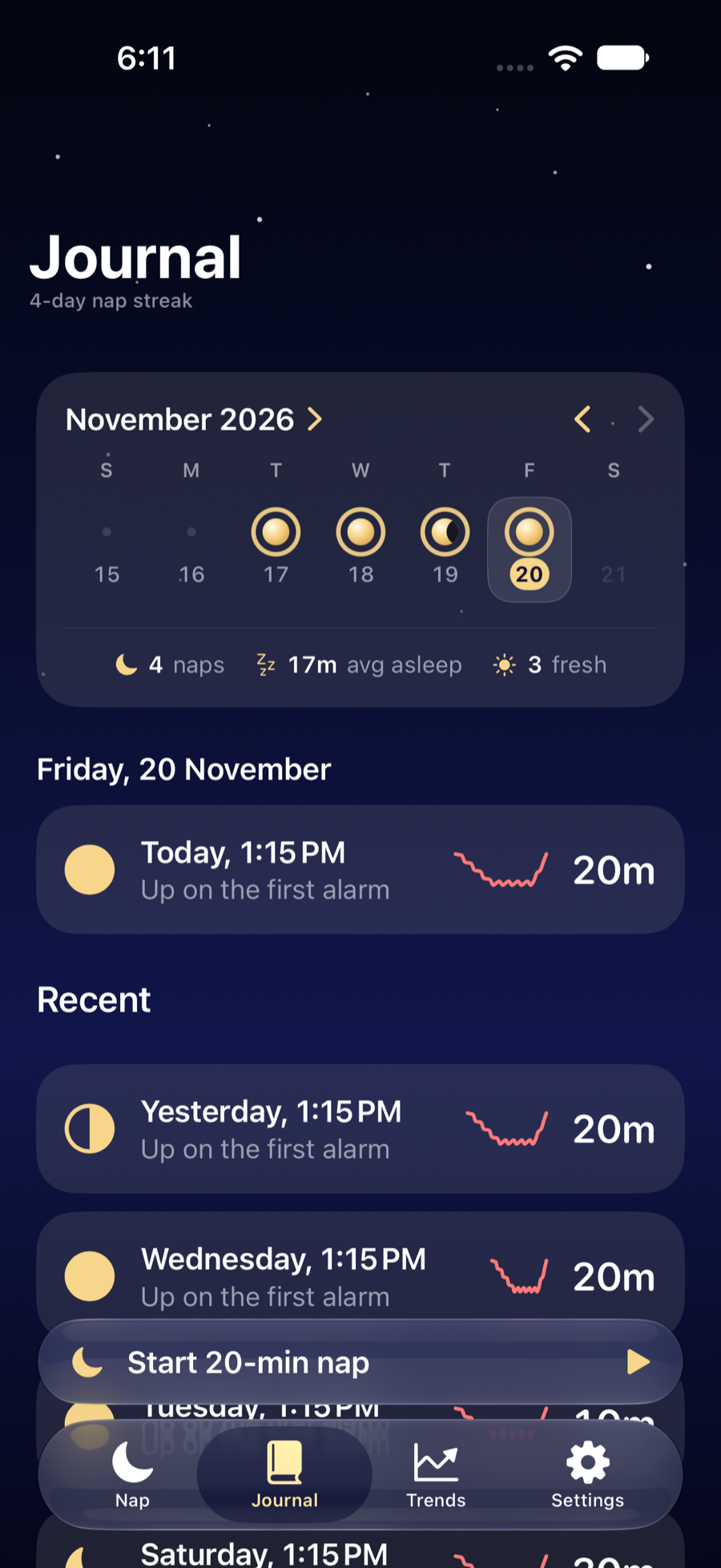
Every nap, written in moons.
Tell PowerNap how you feel after each nap, and it joins your Journal’s moon calendar.
The phase is how you felt
Full when fresh, half when okay, a crescent when groggy.
The ring is how much you slept
How much of the nap you planned you actually spent asleep.
Your heart rate is yours.
Sleep detection runs on your Apple Watch and iPhone. Your naps sync only through your own private iCloud. Health data is never sent to our servers, to analytics or to anyone else — and there are no ads and no account to create.
Read the privacy policyPowerNap Plus
Find your best nap.
Trends show which nap length leaves you sharpest and how much afternoon you’ve given back. The wake guard is always free.
PowerNap
Freeforever
Everything you need to nap and get up.
- Sleep-triggered nap timer
- Stand-up-to-stop wake guard
- iPhone backup alarm
- Nap report & recent naps
No account, no ads. Download and nap.
PowerNap Plus
- Trends: your best nap length
- Full nap history
- Custom wake-ups
Yearly
7 days free$14.99 / year
Monthly
$2.99 / month
Prices in US dollars; your local price is shown in the app before you buy. Auto-renews until cancelled. See the terms of use.
Questions.
Do I need an Apple Watch?
For sleep detection, yes. Your Apple Watch is what notices when you fall asleep, from your heart rate and how still your wrist is, and it’s what wakes you with haptics. Your iPhone adds a backup alarm. Without a Watch, PowerNap still works as a simple iPhone nap timer, just without sleep detection.
What if I don’t fall asleep?
PowerNap wakes you anyway once the settling limit passes — 15 minutes by default — so a nap never quietly turns into an hour on the sofa.
Where does my heart-rate data go?
Nowhere but your own devices and your private iCloud. Health data is never sent to our servers, to analytics, to advertisers or to anyone else.
What’s free and what’s in PowerNap Plus?
Sleep detection and the wake guard — the stand-up alarm and the iPhone backup — are always free. PowerNap Plus adds Trends, your full nap history and custom wake-ups, for $2.99 a month or $14.99 a year, with a 7-day free trial on the yearly plan.
Is PowerNap a medical device?
No. It estimates when you fall asleep to time a nap. It isn’t meant to diagnose, treat or monitor any health condition.
More answers on the support page.
Twenty minutes.
Then up.
Nap the way you meant to, and get your afternoon back.